
Your company already pays for Microsoft 365, somebody in operations has built two agents in Copilot Studio, and the question on the table is whether the next one belongs there too. Two published numbers settle most of it before the low-code argument even starts: an 8,000 character ceiling on what you can tell the agent, and a credit rate that bills your design rather than your seat count. Copilot Studio is a capable product with real governance built in, and the interesting question is which of your processes fit inside it. What follows is what it costs, where it stops, what you have to switch on, and the four questions we run before building anything custom instead.
What you get when you build in Copilot Studio
Microsoft positions it as a graphical, low-code studio for building and managing AI agents and workflows in the Copilot Studio overview on Microsoft Learn. You write instructions, connect knowledge sources, attach tools and connectors, then publish to Microsoft Teams, a website, or a mobile app. It is the no-code AI agent builder we are asked about most, and our Copilot Studio glossary entry covers the building blocks in more detail.
The harness decides how your agent reasons, and what it bills
The detail most people miss is the harness. Whatever you build runs on one, and Copilot Studio currently offers three: the GitHub Copilot harness for reasoning-heavy multi-step work, the standard harness for rule-based agents and structured conversations, and the Copilot chat harness for extending Microsoft 365 Copilot Chat. Microsoft is explicit about what rides on that choice: “Your choice of harness affects how your agent or workflow reasons, how complex a task it can take on, what it can do out of the box, and how it’s billed.”
Two teams can build what looks like the same agent in Copilot Studio and receive very different invoices. The harness is the first reason why.
How the billing works, and what moves the number
Standard harness usage is priced in Copilot Credits. Microsoft’s standard harness licensing article records the switch: “Starting on September 1, 2025, the common currency for agents changed from messages to Copilot Credits.” The published rates in the billing rates and management article are per event, not per user:
- a classic answer, meaning a response an agent maker wrote by hand, costs 1 Copilot Credit
- a generative answer costs 2
- an agent action costs 5
- tenant graph grounding for messages costs 10
- agent flow actions cost 13 per 100 actions
- a minute of premium GenAI voice costs 75, with the core agent activity inside that minute listed as included
Read the whole page before you build a business case on those numbers, because two tables and three footnotes sit around them. The first five rates live in a table whose third column, usage by a Microsoft 365 Copilot licensed user, reads “No charge” on every row. Microsoft scopes that inclusion carefully: it covers employee-facing scenarios where the agent operates under the authenticated licensed user’s identity, it is subject to fair-use limits, it reaches agent flows only on the “When an agent calls the flow” trigger, and Computer-Using Agents are excluded from the licensed-user inclusion altogether. Voice sits in a second table with no licensed-user column at all. So an internal HR assistant your licensed staff use and a customer-facing voice agent on your website are two different cost objects, even when they are the same build.
Microsoft states the general case plainly: “The number of Copilot Credits an agent consumes depends on the design of the agent, how often customers interact with it, and the features they use.” That is the honest version of the price list and it is also the warning. A scripted answer is one credit. A minute of premium voice is seventy five, on a rate that already absorbs the core agent activity inside it. The design choices your maker makes in the first week are what set the run rate for the year. This is ordinary AI FinOps work and it belongs before the pilot.
The right question: it is never “what does Copilot Studio cost”. It is “what does one completed task cost us, at the volume we actually run, with the design we actually shipped”. Model that first.
Where it stops: the published ceilings
Microsoft publishes quotas and limits for standard harness agents, and running your process against them is the cheapest compatibility check available:
- Instructions for a Copilot agent: 8,000 characters. Roughly 1,200 words of operating policy, for everything the agent must know about how your company handles the case.
- Knowledge sources per agent: 500 across all types.
- Skills: 100 per agent, and 1,000 topics per agent in Dataverse environments.
- Connector payload: 5 MB, dropping to 450 KB on Government Community Cloud plans.
The instruction budget is the one that settles most cases. A returns process with fourteen exception paths, a credit decision with a regulated audit trail, a quoting rule that differs by country: these do not compress into 8,000 characters without losing the exceptions, and the exceptions are usually the reason a human was doing the work. When your policy does not fit, you are not configuring the product badly. You are outside what it was designed to hold.
The governance is real, and it is off until you switch it on
This is where Copilot Studio is stronger than its reputation among engineers. Data policies are no longer optional: Microsoft’s data policy documentation states that data policy enforcement has applied to every tenant since early 2025 and that the old exemption for agents is gone. Administrators classify every connector in the Power Platform admin center as Business, Non-business or Blocked, and connectors in different groups cannot share data with each other.
The security and governance documentation goes further. With Microsoft Agent 365 onboarded, “Copilot Studio agents can be represented as identities in Microsoft Entra”, governed with Conditional Access and role-based access control like any other principal. Admins can cap pay-as-you-go Copilot Credits to hold spend down, review which connectors each agent depends on before deployment, and read maker audit logs in Microsoft Purview with alerting through Microsoft Sentinel.
That is a better answer to agent sprawl than most custom stacks have, and it is worth saying so. The catch is that none of it is the default state of a tenant where a few enthusiastic people started building. Somebody has to own the data policy, the credit cap and the agent inventory, and in the companies we work with that owner is usually unnamed until the first surprise invoice or the first agent that answered a customer from a SharePoint site nobody remembered.
Which parts of the agent move if you ever leave
You accepted vendor lock-in the day you standardized on Microsoft 365, so the useful question is which parts of an agent travel if you ever change your mind.
The portable parts of an agent are the ones you thought hardest about: the process design, the instruction text, the test cases you judge it against, and the escalation rules. Those survive a platform change. The non-portable parts are the Dataverse environment model, the Power Platform connectors, the harness behavior and the billing relationship. If your agent’s value is mostly in the connectors, you have bought a Microsoft product, which is a perfectly reasonable thing to buy when your data is already there.
The practical move is not a strategy document. It is one list: which of your agents would you have to rebuild if this answer changed in two years, and are any of them the ones that touch your actual competitive advantage. Build those two somewhere you own.
Four questions before you build it there
This is the build versus buy call in its Microsoft form, and we run it in this order because the early questions are cheap to answer and the later ones are expensive to get wrong. The platform-neutral version of the same call, for teams choosing a framework rather than a suite, is in AI framework vs custom stack.
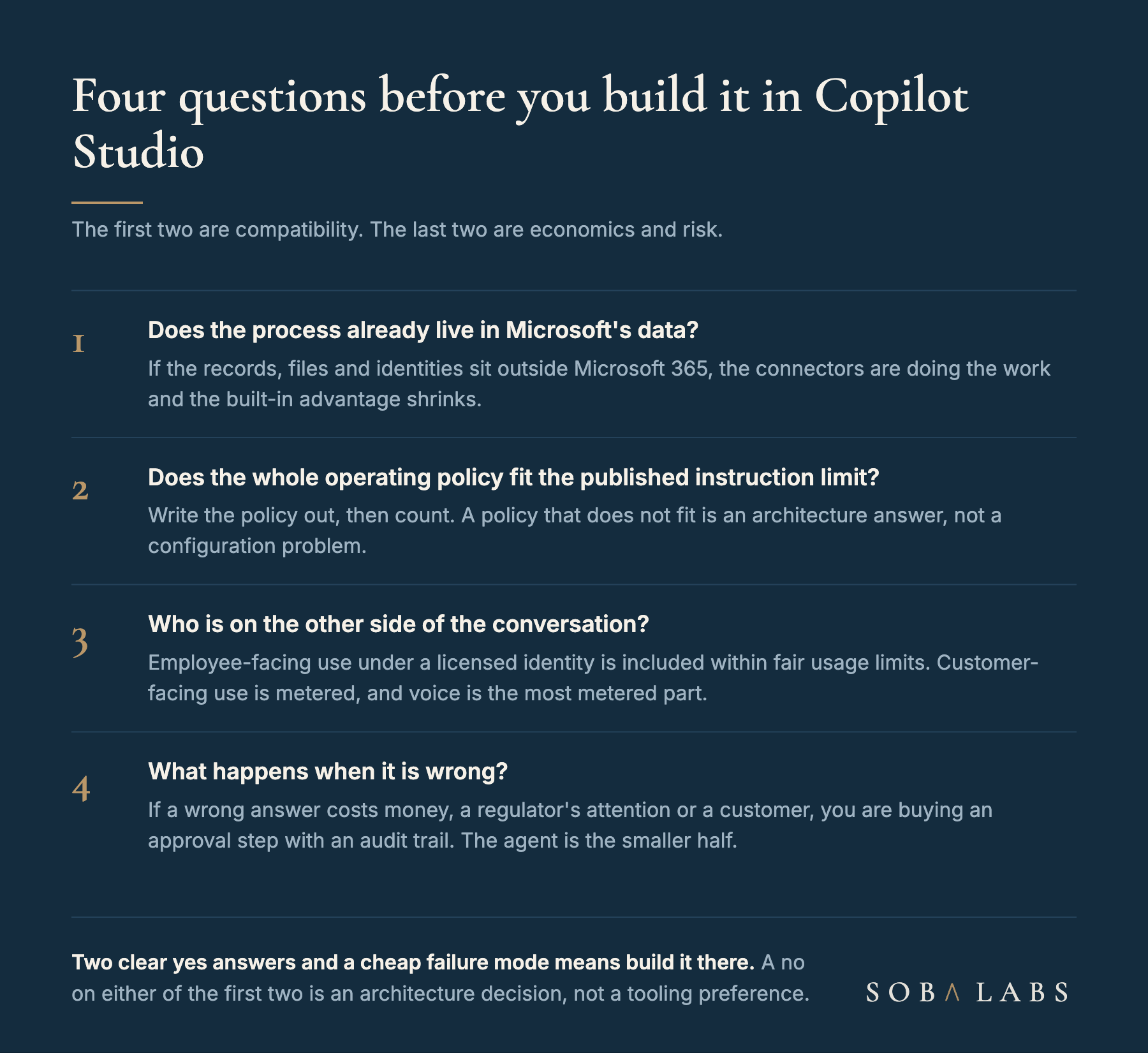
- Does the process already live in Microsoft’s data? If the records, the files and the identities are in Microsoft 365 and Dataverse, most of the product’s advantage is already paid for. If your operational truth sits in an ERP, a warehouse system or a bespoke database, the connectors are doing the work and the advantage shrinks.
- Does the whole operating policy fit the published instruction limit? Write the policy out first, then count the characters. Teams reliably guess low here, because the exceptions live in somebody’s head rather than in the document they are counting.
- Who is on the other side of the conversation? This is the question that decides whether you are inside the licensed-user inclusion or paying per event, and it is also the one most business cases answer for the pilot population rather than the real one.
- What happens when it is wrong? Where a wrong answer costs money, a regulator’s attention or a customer relationship, the approval step with its audit trail is the larger half of the build, and the agent is the smaller one. Budget it that way.
Two clear yes answers on the first two questions plus a cheap failure mode means build it in Copilot Studio and put the engineering effort into the governance instead. A no on either of the first two is not a reason to reject the platform, but it is a reason to stop treating the decision as a tooling preference.
The tool is rarely the reason it fails
Microsoft’s own 2026 Work Trend Index found that organizational factors such as culture, manager support and talent practices explain more than twice the reported AI impact of individual factors like mindset and behavior, 67 percent against 32 percent. The same research reports that only “one in four AI users surveyed (26%) say their leadership is clearly and consistently aligned on AI”, and that its most advanced users are more likely to say agent workflows, human handoffs and quality standards are documented and repeatable at the function level, 29 percent against 17 percent.
Those numbers describe Microsoft’s survey population rather than yours, and Microsoft has an obvious interest in the conclusion. They still match what we see: the companies that get value from Copilot Studio are the ones that had written down the process before they automated it. We wrote about the general version of that in Don’t hire until your operations are designed, and it applies exactly the same way to a low-code agent as to a new hire.
Pick the platform second. Write the process down first, count the characters, then decide.
Sources
- Copilot Studio overview, Microsoft Learn: the product definition, the building blocks and the three harnesses.
- Billing rates and management, Microsoft Learn: the Copilot Credits rate table and the Microsoft 365 Copilot inclusion.
- Standard harness licensing, Microsoft Learn: the September 2025 move from messages to Copilot Credits.
- Quotas and limits, Microsoft Learn: instruction, knowledge source, skill and connector payload limits.
- Configure data policies for agents, Microsoft Learn: tenant-wide data policy enforcement and connector data groups.
- Work Trend Index 2026, Microsoft WorkLab: the organizational factors finding and the leadership alignment number.